

You’ve finally decided to take your music seriously. You want a digital piano that not only feels and sounds great but also plugs straight into your computer for recording, composing, or using learning apps. The challenge is finding a model that offers both authentic piano action and reliable USB-MIDI connectivity without breaking the bank. That’s where this guide comes in. We’ve reviewed the top 88-key weighted digital pianos from Casio and Yamaha, focusing on models that excel as USB MIDI controllers for PC. Whether you’re a beginner or a seasoned player, you’ll find the perfect match here.
Our selection criteria prioritize realistic key feel, sound quality, and seamless USB connectivity. We also consider portability and extra features that enhance your PC-based music experience. If you’re just starting your journey, you might also want to check out our guide on the best digital pianos to learn on for more beginner-friendly options.


Buying Guide: What to Look for in a USB Digital Piano for PC
Before you hit that buy button, it’s essential to understand the key features that make a digital piano ideal for PC use. Here are the three most critical factors to consider.
1. Weighted Keys and Touch Response
The feel of the keys is paramount. For a truly expressive performance, you need a piano with weighted keys that mimic the hammer action of an acoustic piano. Look for models with scaled hammer action, which means the lower keys are heavier and the higher keys are lighter, just like on a real piano. This feature also affects your playing dynamics when recording MIDI, as it captures velocity accurately.
All the pianos we picked feature some form of weighted action, but the quality varies. Casio’s Tri-Sensor II Scaled Hammer Action is a standout for its speed and accuracy, while Yamaha’s GHS (Graded Hammer Standard) action is reliable and consistent. If you’re new to digital pianos, our best entry-level digital piano guide can help you understand what to expect.
2. USB-MIDI Connectivity and Compatibility
Since you’ll be connecting to a PC, USB-MIDI is a must-have. This allows you to send MIDI data to your computer for use with DAWs (Digital Audio Workstations) like Ableton, Logic, or GarageBand, as well as online learning platforms. Most modern digital pianos offer plug-and-play USB-MIDI, meaning you don’t need to install any drivers. Just plug in a USB cable and your computer recognizes the piano instantly.
Check whether the piano is class-compliant, which ensures it works with both Windows and macOS without extra software. All the models we’ve selected are class-compliant, so you can start making music right away.
3. Sound Engine and Polyphony
The sound engine determines the quality of the piano tones, both through the built-in speakers and when you’re using virtual instruments on your PC. Look for pianos that use advanced sampling technology, such as Casio’s AiR Sound Source or Yamaha’s Pure CF Sound Engine. These deliver rich, detailed grand piano sounds with realistic resonances.
Polyphony is also crucial, especially if you’re using sustain pedals or playing complex pieces. A minimum of 64-note polyphony is recommended, but 128 or more is ideal. Higher polyphony ensures no notes are dropped during dense passages.
For classical players, the sound engine is particularly important. Our guide to the best electronic pianos for classical pianists dives deeper into this aspect.
Final Thoughts
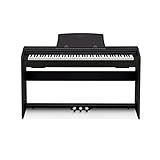
Choosing the right USB digital piano for your PC ultimately comes down to your personal needs and budget. If you want a console-style piano that feels like the real deal and offers a powerful speaker system, the Casio Privia PX-870 is our top pick. For a more portable option that doesn’t skimp on feel or connectivity, the Casio CDP-S160 is an excellent choice, especially if you have limited space. Both offer seamless USB-MIDI integration for your PC, ensuring a smooth workflow whether you’re practicing, recording, or performing.
Frequently Asked Questions
Can I use any digital piano with my PC?
Most digital pianos with a USB port can connect to a PC, but not all are class-compliant. Class-compliant devices work without installing drivers, making them truly plug-and-play. All the models we recommend are class-compliant, so you can connect them to your PC via USB and start using them with your favorite software immediately.
Do I need special software to use a USB digital piano with my PC?
You don’t need special software for basic MIDI recording; you can use any DAW like GarageBand (Mac) or Audacity (PC). For learning, many pianos work with apps like Simply Piano or Flowkey. Casio’s Music Space app is also free and compatible with their CDP and Privia models, offering additional features like MIDI song playback and settings control.
How do I connect my digital piano to my PC?
Simply use a USB cable (usually USB-A to USB-B or USB-C) to connect the piano’s USB port to your computer. The piano will appear as a MIDI device in your software. Some models also have a headphone jack that can be used as an audio output, but for MIDI data, the USB connection is all you need.
Are there any digital pianos that don’t require drivers for PC connection?
Yes, all the models we’ve featured are class-compliant, meaning they don’t require any driver installation on Windows or macOS. Just plug them in, and your computer will recognize them instantly. This makes them incredibly convenient for both home and studio use.
For more tips on choosing the right piano, check our guide on the best electric piano for beginners.


