

You’ve just opened GarageBand on your Mac, ready to lay down a melody, but your mouse-clicking piano roll is killing the vibe. You need a real keyboard that connects seamlessly, feels responsive, and doesn’t break the bank. This guide covers the best piano keyboards for GarageBand in 2026, focusing on models with solid MIDI integration, authentic key action, and practical features for both beginners and intermediate players.




Buying Guide: What to Look For in a GarageBand Keyboard
Choosing a keyboard for GarageBand isn’t just about the number of keys. You need to consider how it connects, how it feels, and what extras help you learn and create. Here are the key criteria we used to evaluate these models.
Connectivity: USB-MIDI vs. Bluetooth
GarageBand works with any class-compliant USB-MIDI keyboard, and most modern models plug straight in via USB. That’s the simplest, most reliable route. If you prefer a wireless setup, look for Bluetooth MIDI support, like the DaierTek controller, which pairs directly with GarageBand on iOS and Mac.
For a seamless experience, ensure the keyboard is class-compliant, so you don’t need extra drivers. The Alesis Recital Play and the Zilvok 88-key both offer USB-MIDI, making them plug-and-play with GarageBand.
Key Action and Size: Full-Size, Semi-Weighted, or Synth Action
The feel of the keys dramatically affects your playing. Semi-weighted keys, like those on the Zilvok 88-key, offer a middle ground between synth-action and fully weighted, providing a more expressive response without the heavy feel of an acoustic piano. If you’re a pianist, you might prefer fully weighted keys, but for GarageBand production, semi-weighted is often ideal.
For beginners, 61 keys are enough to start, but 88 keys give you the full range. Check out our guide on is a 61 key keyboard enough for beginners to decide. If you’re an adult learner, you might also want to read our best keyboard piano for adults recommendations.
Built-In Sounds and Learning Tools
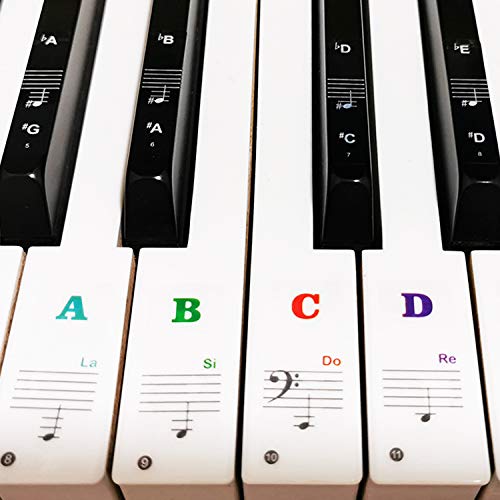
Even though GarageBand has a vast sound library, having a variety of onboard tones and rhythms is useful for practice away from the computer. Models like the RockJam kits offer hundreds of tones and rhythms, plus teaching features like lighted keys or note stickers. These extras make practice more engaging, especially for kids.
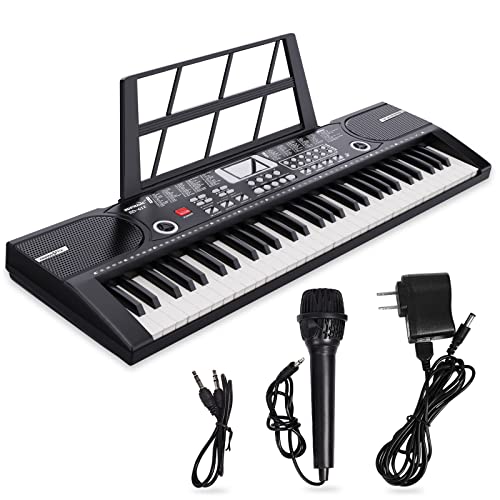
If you’re looking for a keyboard specifically for learning, check out our best keyboard piano for learning guide. The JIKADA 61-key with its three teaching modes is a great example of a learning-focused keyboard.
Final Thoughts
Choosing the right keyboard for GarageBand comes down to your priorities: if you want a full 88-key experience with a realistic feel and comprehensive bundle, go with the 88 Key Piano Keyboard,Electric Digital Piano. For a portable, versatile MIDI controller that’s perfect for music production on the go, the DaierTek Midi Keyboard Controller 25 Key is a fantastic choice. Both integrate flawlessly with GarageBand, so you can start creating immediately.
Frequently Asked Questions
Can I use any keyboard with GarageBand?
Most keyboards with USB-MIDI or Bluetooth MIDI are class-compliant and work with GarageBand. This includes the models we’ve reviewed. However, some older keyboards may require drivers, so it’s best to check compatibility before purchasing.
Do I need 88 keys for GarageBand?
No, 61 keys are sufficient for most GarageBand projects, especially if you’re a beginner. 88 keys offer a full piano range, which is beneficial for piano players. For a deeper dive, read our article on 61 key keyboards.
What is the best budget keyboard for GarageBand?
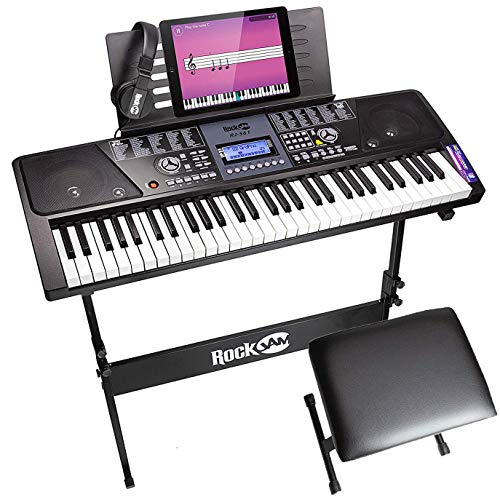
For a budget-friendly option, the RockJam RJ561 kit offers great value with its stand, stool, and headphones. It has USB-MIDI, so it works with GarageBand, and its 61 keys are perfect for beginners. If you’re looking for more keys, the Alesis Recital Play is another excellent budget pick.
How do I connect a MIDI keyboard to GarageBand?
Simply plug the USB cable from your keyboard into your Mac, and GarageBand should recognize it automatically. Go to GarageBand > Preferences > Audio/MIDI to confirm. For Bluetooth keyboards, enable Bluetooth on your Mac and pair the device in the same settings menu.
For more recommendations, check our alesis recital play review or explore weighted keyboards under $500 for a more acoustic feel.


