

Whether you’re a high school student tackling algebra, a college engineering major juggling complex calculus, or a professional needing quick calculations at the office, the right calculator can make a world of difference. With so many models on the market, finding the best Casio calculator for your specific needs can feel overwhelming. That’s where this guide comes in. We’ve reviewed the top Casio calculators of 2026, breaking down their features, strengths, and ideal use cases to help you make an informed choice. If you’re also into music production, you might find our guide on the best MIDI keyboard for laptop useful, but for now, let’s focus on calculators.





Casio Calculator Buying Guide
Before you hit that buy button, consider these key factors to ensure you pick the right Casio calculator for your needs.
1. Determine the Right Type: Graphing, Scientific, or Basic
The first step is to identify what you’ll primarily use the calculator for. Graphing calculators like the Casio fx-9750GIII Graphing Calculator are essential for advanced math courses, allowing you to plot functions, analyze graphs, and even program with Python. They’re a must-have for STEM students taking calculus, statistics, or engineering courses.
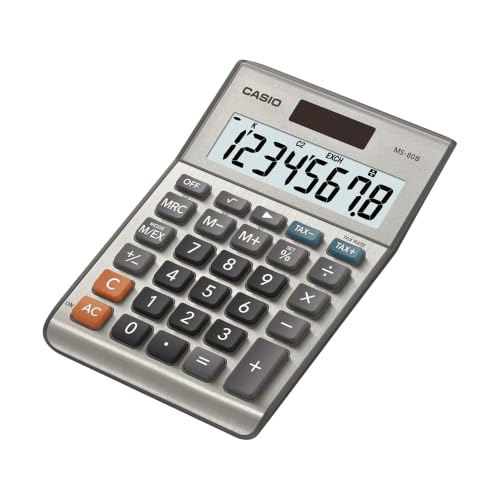
Scientific calculators, such as the Casio FX-9910CW-W-IT, are perfect for high school and college students who need functions like trigonometry, logarithms, and exponents without the complexity of graphing. For simple arithmetic at home or in the office, a basic desktop model like the Casio MS-80B is more than sufficient.
2. Check for Exam Approval and Display Type
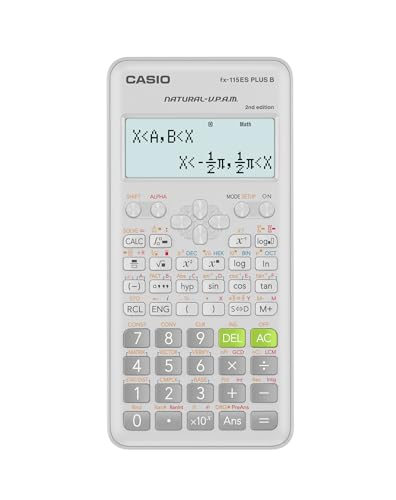
If you’re a student, always verify that the calculator is approved for your exams. Many Casio models, like the fx-9750GIII and the Prizm FX-CG50, are approved for AP, SAT, ACT, and IB exams. The display type is equally important. Natural Textbook Display, found on many Casio scientific calculators, shows equations and results exactly as they appear in textbooks, making it easier to input and interpret complex expressions.
3. Consider Advanced Features: Python, Color Display, and More
For programming enthusiasts or those taking computer science courses, a calculator with Python integration, like the fx-9750GIII or the FX-CG50, is a game-changer. The FX-CG50 also boasts a high-resolution color display that supports 3D graphing, which is fantastic for visualizing complex concepts. If you’re a music producer, you might appreciate the technical precision of these devices, much like the best Roland synthesizers offer for sound design.
For everyday office use, look for features like tax and currency conversion, as seen on the Casio MS-80B, and dual power sources (solar and battery) for reliability.
4. Portability and Build Quality
Think about where you’ll be using the calculator. If you’re a student carrying it in your backpack all day, a compact and lightweight model with a durable cover, like the Casio SL-300SV, is ideal. For a desk calculator, a larger display and sturdy buttons are more important. Always check for a protective cover or case to prevent damage.
Final Thoughts
Choosing the best Casio calculator ultimately depends on your academic level, field of study, and personal preferences. For students who need a powerful graphing tool with programming capabilities, we highly recommend the Casio fx-9750GIII Graphing Calculator. For those seeking a reliable scientific calculator for everyday coursework, the Casio FX-9910CW-W-IT Scientific Calculator is an excellent choice that balances functionality and ease of use. Whichever you pick, Casio’s reputation for quality ensures you’re getting a durable and dependable device.
Frequently Asked Questions
What is the best Casio calculator for high school students?
For high school, the Casio FX-300ESPLSB Scientific Calculator is a popular choice due to its Natural Textbook Display and 262 functions, covering everything from basic algebra to trigonometry. It’s approved for most standardized tests and is budget-friendly. If you’re planning to take advanced math or science courses, consider the fx-9750GIII for its graphing capabilities.
Are Casio graphing calculators allowed on the SAT and ACT?
Yes, many Casio graphing calculators, including the fx-9750GIII and the Prizm FX-CG50, are approved for use on the SAT, ACT, AP, and IB exams. Always double-check the official exam policies, but these models are widely accepted. For a complete list of approved calculators, refer to the College Board or ACT websites.
What is the difference between a scientific and a graphing calculator?
A scientific calculator handles functions like logarithms, trigonometric calculations, and exponents, but it cannot plot graphs. A graphing calculator, on the other hand, can visually display functions on a screen, making it essential for higher-level math like calculus. If you’re just starting out, a scientific model is often sufficient, but for advanced courses, a graphing calculator is a worthwhile investment.
Can I use a Casio calculator for programming?
Yes, select Casio models like the fx-9750GIII and the FX-CG50 support Python programming directly on the calculator. This feature is incredibly useful for learning coding and running programs without needing a computer. It’s a great way to combine math and computer science skills, especially if you’re interested in fields like data science or engineering.


